About
Rave is a food review social media app designed for users to connect over positive experiences sharing the food they love. Rave was created out of the necessity for more positivity in the food review space as the average users of apps like Yelp only leave reviews when they have had a negative experience. Rave allows users to find new places to eat based on where their friends and other near them are eating and enjoying. Rave's goal is to connect people and restaurants through positivity. Rave is preparing to go into private beta testing, and our team is hoping to release the app very soon. Below, a collection of important pages from the app are displayed and explained to give a better sense of what the app is all about.
The Feed
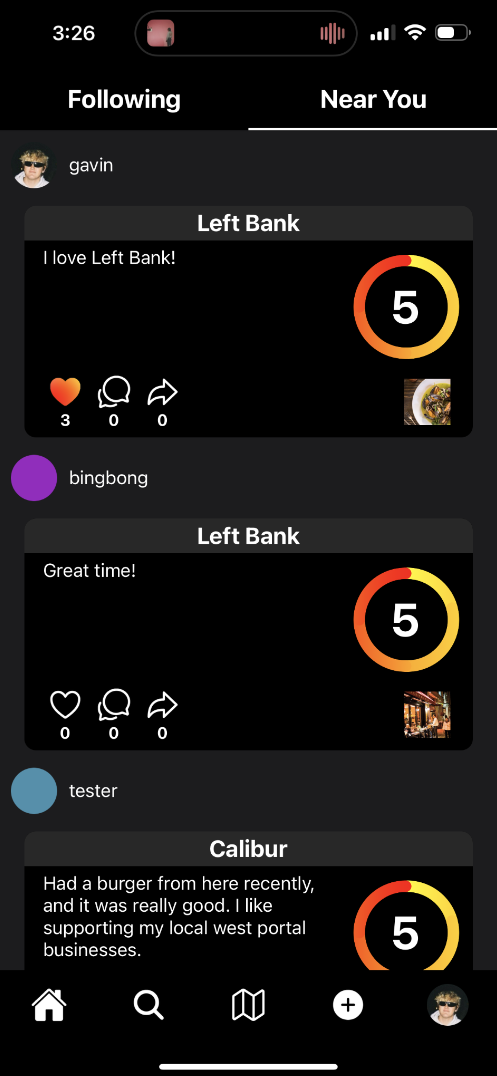
The home page of Rave is made up of two primary feeds: following and near you. Like the name suggests, the following page is where users go to view posts of users they follow. Also suggested by the name, the near you page displays popular and recent posts from close to your current location to suggest popular restaurants that are close to you. We chose to split up these pages because users may want to follow and see the activity of influencers and long-distance friends on the app but not necessarily live anywhere near where those people are eating.
Explore
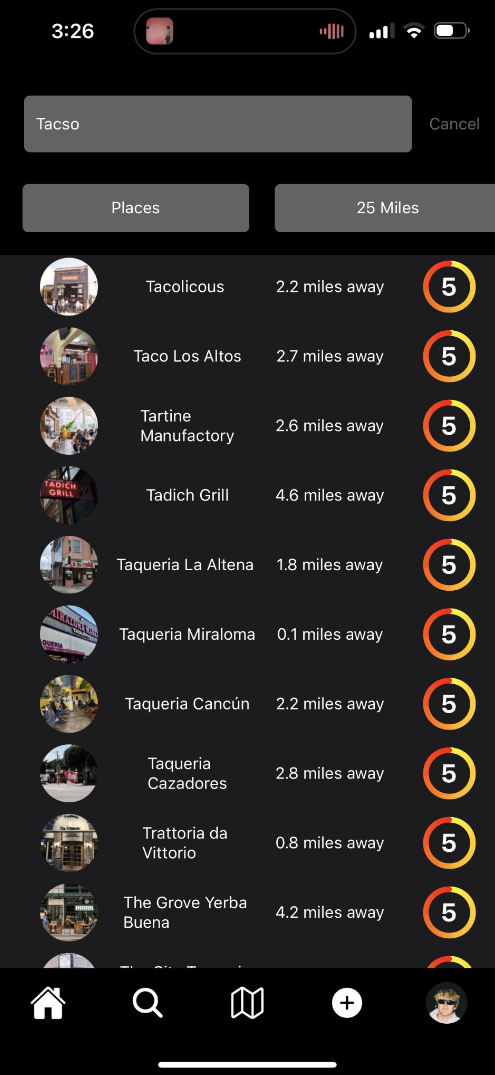
The explore or search page allows users to search for restaurants to eat at. The search is becoming more powerful as we collect more restaurant data each day. Right now the search allows users to send in a query and a number of filters such as distance, open now, rating. The filter that says places is there because this page can also be used to search for your friends accounts to follow. Eventually, we plan to add filters to allow users to search by type of cuisine and type of restaurant (sit-down, fast casual, etc). We also plan to add sorting to the search results, so users can view the list of results ordered by rating or distance.
Restaurant
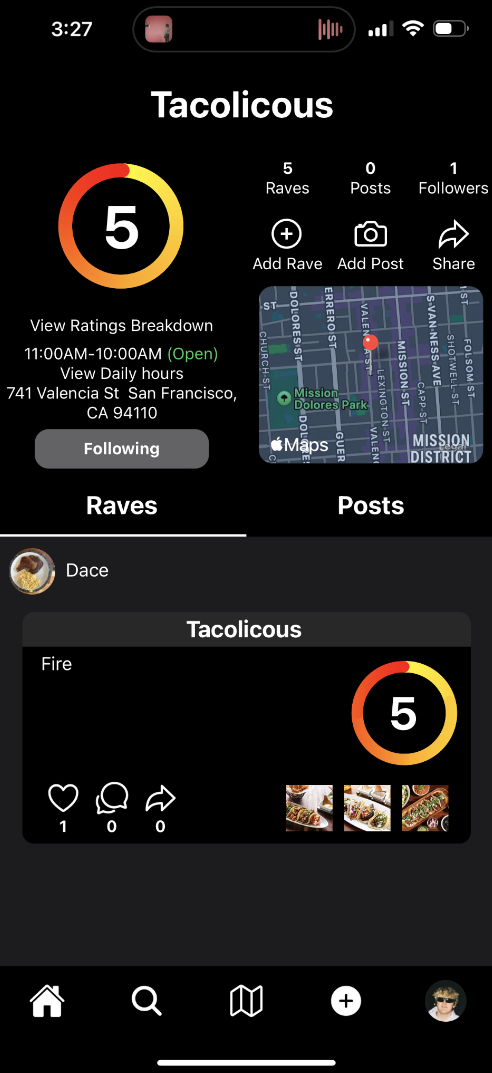
The restaurant page allows a user to get information about a restaurant they are interested in. The user can see the restaurant's rating, location, and hours. Users can also click on "View Ratings Breakdown" to see how the restaurant performs on all of Rave's categories (food, service, atmosphere). Users can also use this page to view content that users have generated at the restaurant. Users can also follow restaurants to get special updates from the restaurants about certain things directly in the app.
The Map
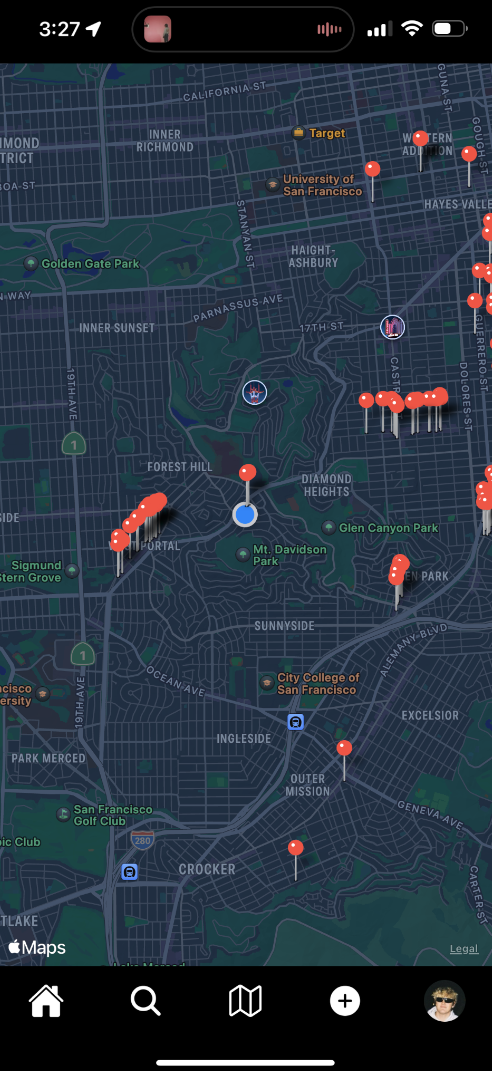
The map is to show users what restaurants are near them. Users can click on a restaurnant's pin to check its ratings and decide whether or not to view the restaurant's whole profile. We are planning to eventually implement more features such as a heat map so people can see what areas or restaurants are getting a lot of reviews at certain times. We also plan to add features where the map shows where users' friends have recently reviewed.
Rating
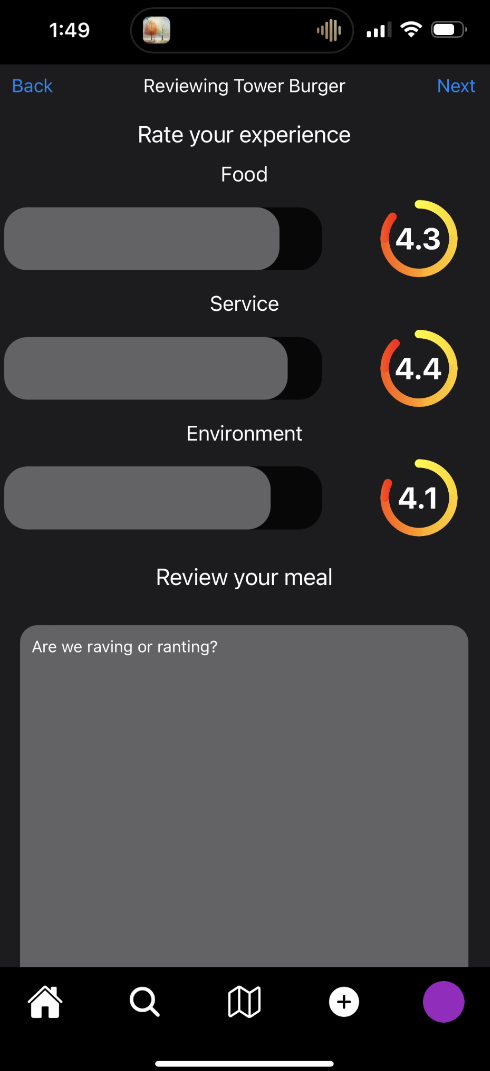
Rave uses a rating system based on food, service, and overall atmosphere of the restaurant. On the feed, the average of these three ratings is shown, and these ratings can be viewed individually by clicking into a review from the feed page. The rating screen also allows users to write their review and add pictures from their experience. These pictures are displayed on the feed but can be viewed in a larger format by clicking into a post from the feed page.
Preview
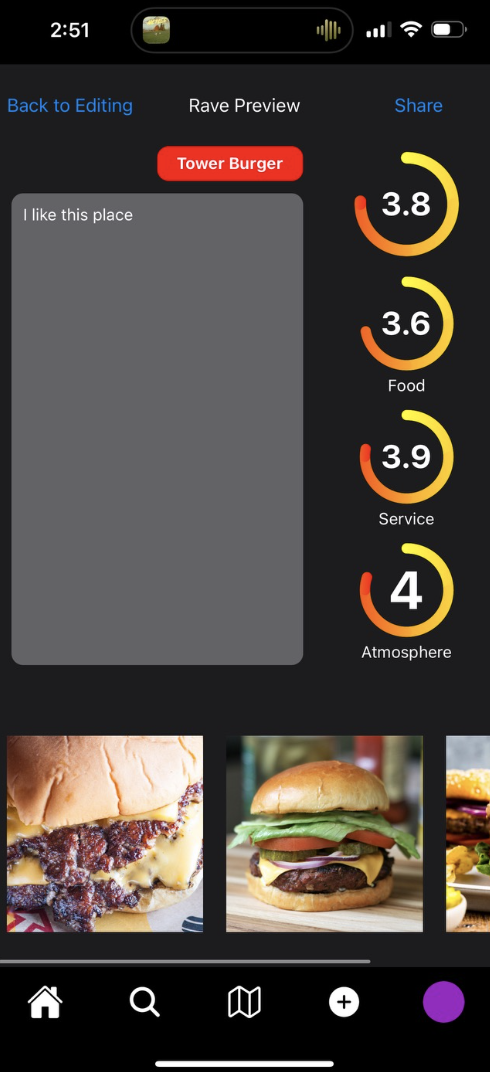
The preview page allows users to see what their rave will look like once it has been posted. It also allows users to go back and edit any part of the review if they need to.
The Profile
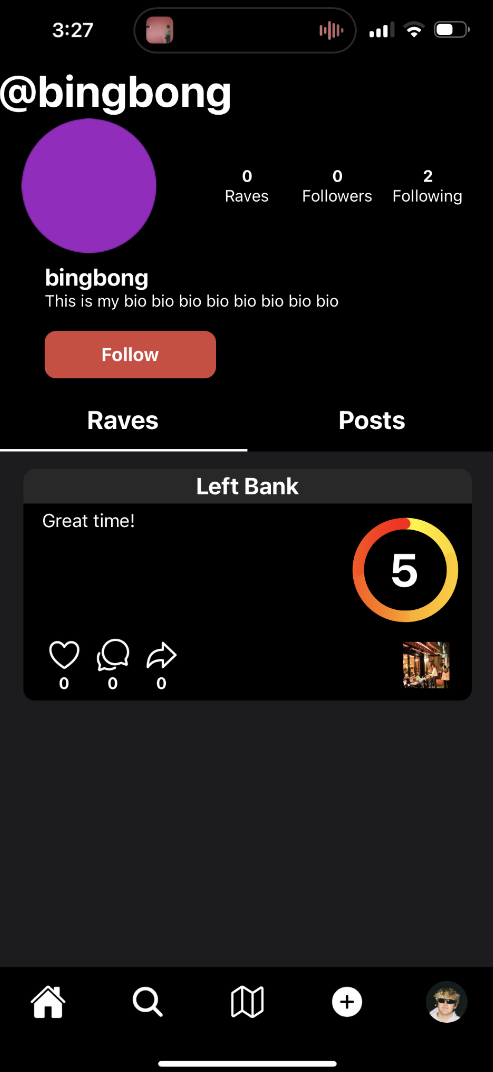
The profile page allows users to see the activity of a user. There are two tabs for posts and raves because those are the two types of content we allow users to post. Posts are for when users to do not want to leave a whole review of a place but still want to share image(s) from the experience they had there.